There are more Markdown tools than ever, but you just want to quietly read a document
Native macOS app. Fast startup, fast switching, smooth reading. No splash screen, no loading wait.
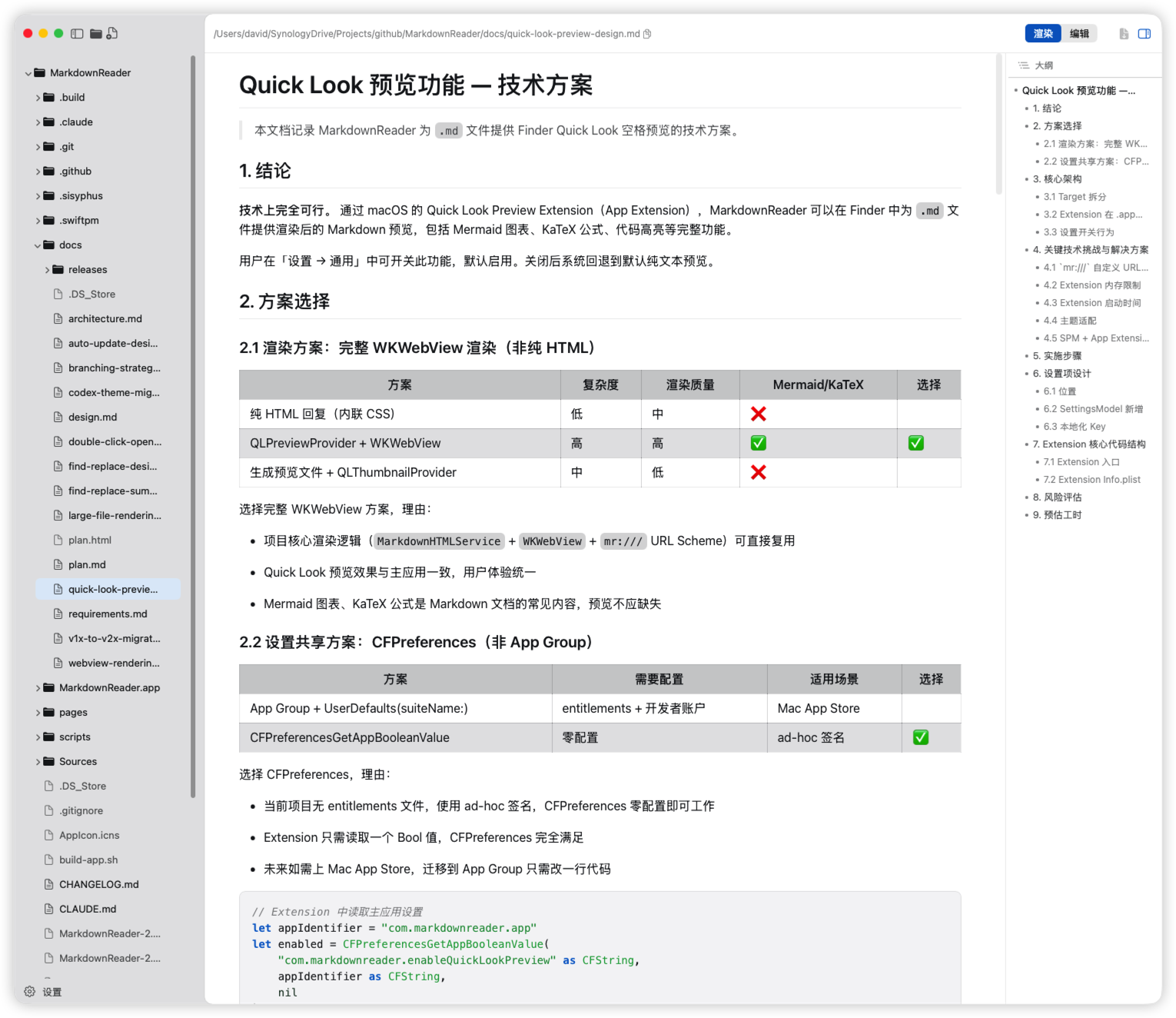
Three-pane layout — file tree + rendered view + outline navigation. See document structure at a glance.
Open multiple independent window sessions (⇧⌘N) with isolated edit states and per-window undo stacks.
Fractional source anchor pipeline preserves reading position accurately without jumping or screen flash.
Choose classic Mermaid.js or native lightweight Pele engine; ```mermaid SVG colors blend into themes; PlantUML supported.
KaTeX renders LaTeX inline and block formulas, loaded on demand for delicate technical documentation typography.
Direct editing in source mode, ⌘S to save; optional gutter source line numbers with adaptive width and jitter-free scrolling.
Recursive folder browsing, symlink support, and live file monitoring; optional auto-open containing folder for single files.
Auto-extract heading hierarchy, smooth scroll unified to top of viewport for efficient long document reading.
Select a .md file in Finder and press Space to preview rendered content — no app launch needed.
Copy an entire document from rendered mode, source mode, or Quick Look in one click; toggle off in Settings; rich text or raw Markdown.
20 dark + 13 light — Dracula, Catppuccin, Nord, Tokyo Night… Including Markdown Preview Enhanced style themes.
Press ⌘P to quickly search and open files with fuzzy matching, arrow keys navigation, and Enter to open.
Type `mdr README.md` in the terminal to open files or directories. Seamless developer workflow.
DMG installer under 10MB. Diagrams and math scripts load on demand; plain Markdown uses zero extra memory.
One-click export rendered Markdown to PDF, preserving theme styles for easy sharing and archiving.
From Dracula to Catppuccin, from Nord to Tokyo Night — 20 dark + 13 light, your desktop your way
Free, open source, native macOS experience
brew tap davidhoo/markdownreader && brew install --cask markdownreader